Host Events. Sell Tickets.
Get Rides. All in one Platform
Discover, create, and manage events, sell tickets, check guests in with QR codes, and book rides — all from the RidenRoll app or web. It's simple, secure, and built for your success.
 Buy Tickets
Find your favorite events and get your tickets in seconds.
Browse Events

 Sell Tickets
Create and manage events, then host your own.
Get Started
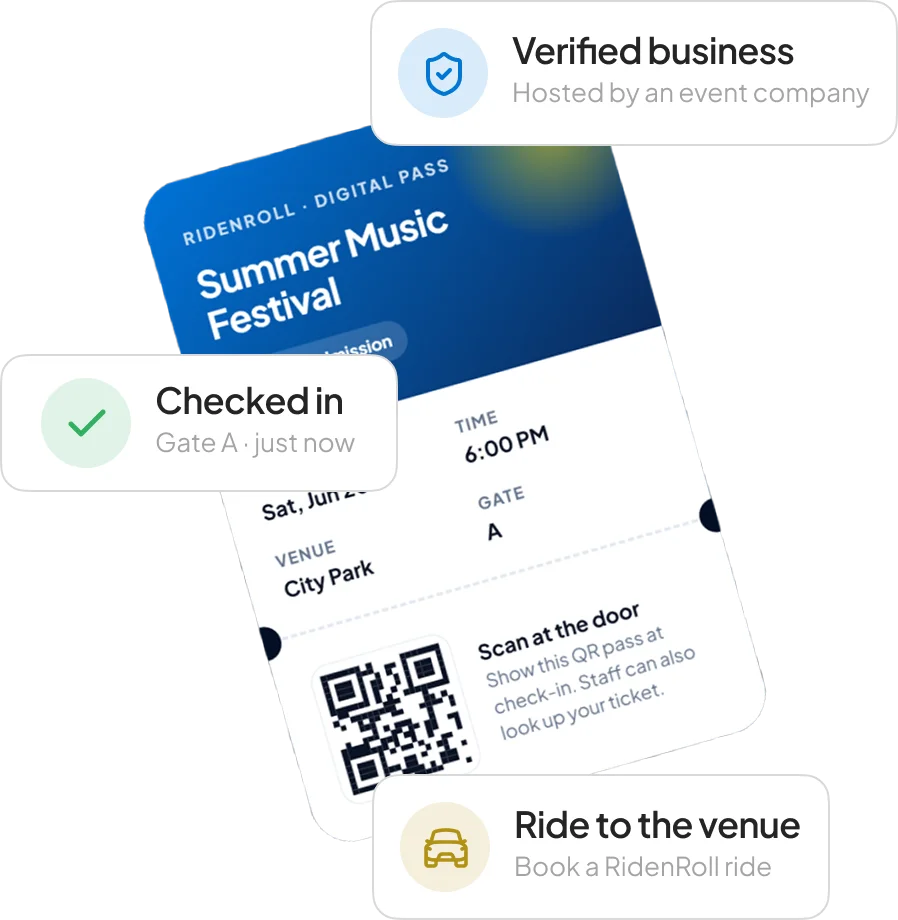
 Digital QR
Check-In Fast, secure entry for your guests and staff. Learn More

 Book Rides
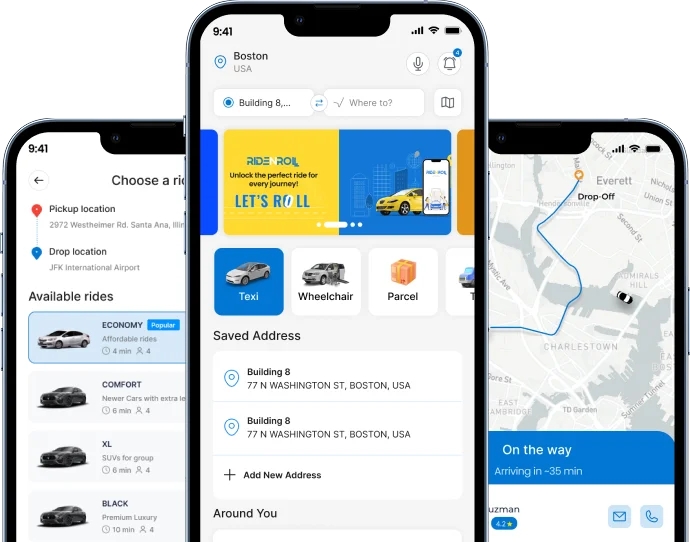
Safe, reliable rides to and from your event.
Request a Ride
 How It Works
Get started in just a few simple steps.
 STEP 1
Create or Find an Event
Browse events or set up your own in minutes.
 STEP 2
Buy or Sell Tickets
Secure, easy, and flexible for any event.
 STEP 3
Check In with QR
Scan tickets, manage guests, track entry.
 STEP 4
Book a Ride
Get to and from the event safely and on time.
For Business Owners
Sell tickets for your events — and grow your business.
Whether you run a club, a restaurant, a venue, or a growing event brand, RidenRoll gives you everything you need to sell tickets online and run a smooth entry on the day.

Create ticket types & set your price
Offer General, VIP, Early Bird, or group tickets — you decide the price and the quantity.

Accept secure online payments
Customers pay safely online and get their ticket instantly.

Share one link, sell everywhere
Post your event link on Instagram, WhatsApp, or your website to reach more buyers.

Track sales in real time
See how many tickets you've sold and who's coming — all from one dashboard.

Scan tickets at the door
Scan QR tickets in seconds for fast, secure guest entry.
Ready to sell your first ticket?
Set up your event in minutes — it's free to get started.
Start Selling Tickets →How to Create & Manage FREE Events with RidenRoll.
A simple guide to host free events, register guests, issue QR tickets, assign staff, and manage check-in — all in one platform.

Create Free Events
Set up your event in minutes.
Get Started →
Invite Guests
Add your guest list and send event invitations.
Learn More →
Issue QR Tickets
Give guests a digital QR ticket for easy entry and check-in.
View Guide →
Manage Your Event
Assign co-hosts, staff, and track attendance in real time.
See How →Create a FREE Event in Just 4 Simple Steps
 STEP 1
Create Your Event
Add your event details and enable FREE registration.
 STEP 2
Invite Guests
Send invitations by email or share your event link.
 STEP 3
Issue QR Tickets
Guests receive QR tickets and can manage them in the RidenRoll User App.
 STEP 4
Check In Guests
Hosts and authorized staff scan QR tickets using the RidenRoll Events App.
Your Event Experience, Made Simple
From receiving your invitation to entering the event, RidenRoll makes every step easy and hassle-free.

Receive Your Invitation
Guest receives an event invitation by email or shared link

Accept Your Invitation
Guest clicks Accept Invitation.

Get Your Digital QR
RidenRoll generates or activates their individual QR ticket.

Access Your Ticket
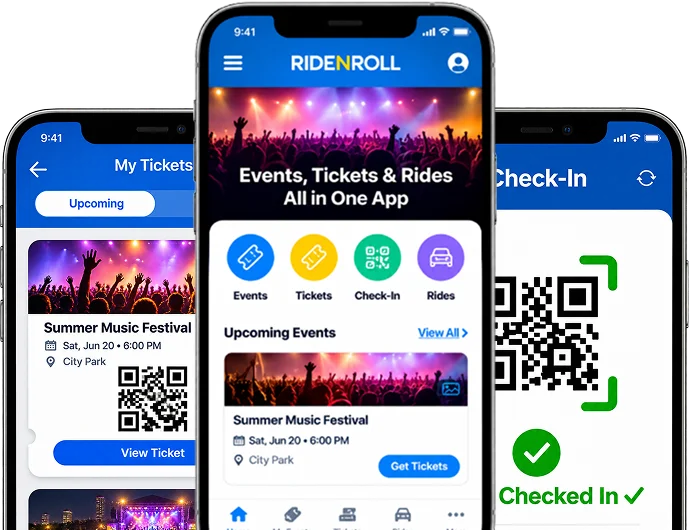
Guest can open the RidenRoll User App and see the ticket under My Tickets.

Get Checked In
At the event, authorized hosts, ushers, or security staff scan the QR code using the RidenRoll Events App.
Start for Free. Pay Only When You Sell Tickets.
No upfront ticketing fee. Create events, manage registrations, and grow your audience.
Free Registration
Create free events, register guests, issue QR tickets, and manage check-in at no ticketing charge.
Per Ticket Sold
Buyer pays the RidenRoll ticketing fee plus applicable payment processing fees. Organizer receives the ticket face value, subject to applicable adjustments.
Example: $50 General Admission Ticket

When do organizers get paid?
Eligible organizer proceeds are generally released 7 days after the event ends, subject to refunds, chargebacks, payment disputes, fraud reviews, reserves, and processor requirements. Bank arrival times may vary. No pre-event payouts.
Ready to Host Your Event?
Create your free organizer account and get started.
Create Free Organizer Account →Two Powerful Apps. One Connected Event Experience.
From event discovery and tickets to professional guest check-in, manage everything from your phone.
RidenRoll User App
For Guests & Ticket BuyersDiscover events, accept invitations, access digital QR tickets, view upcoming events, and book rides to and from your venue.


RidenRoll Events App
For Hosts, Ushers & SecurityManage guest entry, scan digital QR tickets, verify attendance, and coordinate authorized co-hosts and check-in staff.